How I customised my e-ink reader
How I turned my e-reader into a calendar dashboard, and more.
Back in 2018, I bought a second hand Kobo Aura e-ink reader, for 50 euros. It is now considered somewhat slow, and with a pretty small screen. But it ended up being one of the 4 electronic devices I use the most, together with my smartphone, my laptop, and my Garmin watch. I particularly like its portability and battery power: it can last weeks or even months when idle, and consumes very little even when actively used. Throughout the years, I have spent more and more time customising it, and I wanted to share some of the ways I use it.
Funnily enough, I don't think I have finished a single book on it. Reading books for me is still something that requires, well, a book. I really enjoy having a physical book in my hands, that requires turning pages, and gives a clear idea of how long until the next chapter or until the end of the book. I have a fully set-up Calibre Web app on my server, so I can easily add books on it, and they will be synchronised next time the Kobo is connected to the website. This required only changing a line in .kobo/Kobo/Kobo eReader.conf. I rarely use it, and is mostly set up for my mum's Kobo. I recently started reading a book I knew I wouldn't buy, perhaps I will finish that one!
Alright, but what do I use it for then? My main use has been reading blog posts from people online. I find an e-ink screen to give a much more enjoyable, distraction free environment to read then, compared to a phone or laptop. My server is running a simple script that fetches RSS feeds from a .txt file, and saves the articles on my self-hosted Readeck. I initially used Pocket for this, before it got discontinued. I then switched to Wallabag, but decided to switch after the maintainer of a plugin I was using did too. I also used n8n for a while for syncing the feeds, but found that to be an overkill after a while (it was eating a lot of ram). The posts are nicely synchronised with readeckobo, which shows them in the default "Instapaper" section of the Kobo. This again requires changing the .kobo/Kobo/Kobo eReader.conf. My fork of the code allows synchronising both Readeck and Calibre, and supports multiple devices. I found this to be the cleanest way to do it.
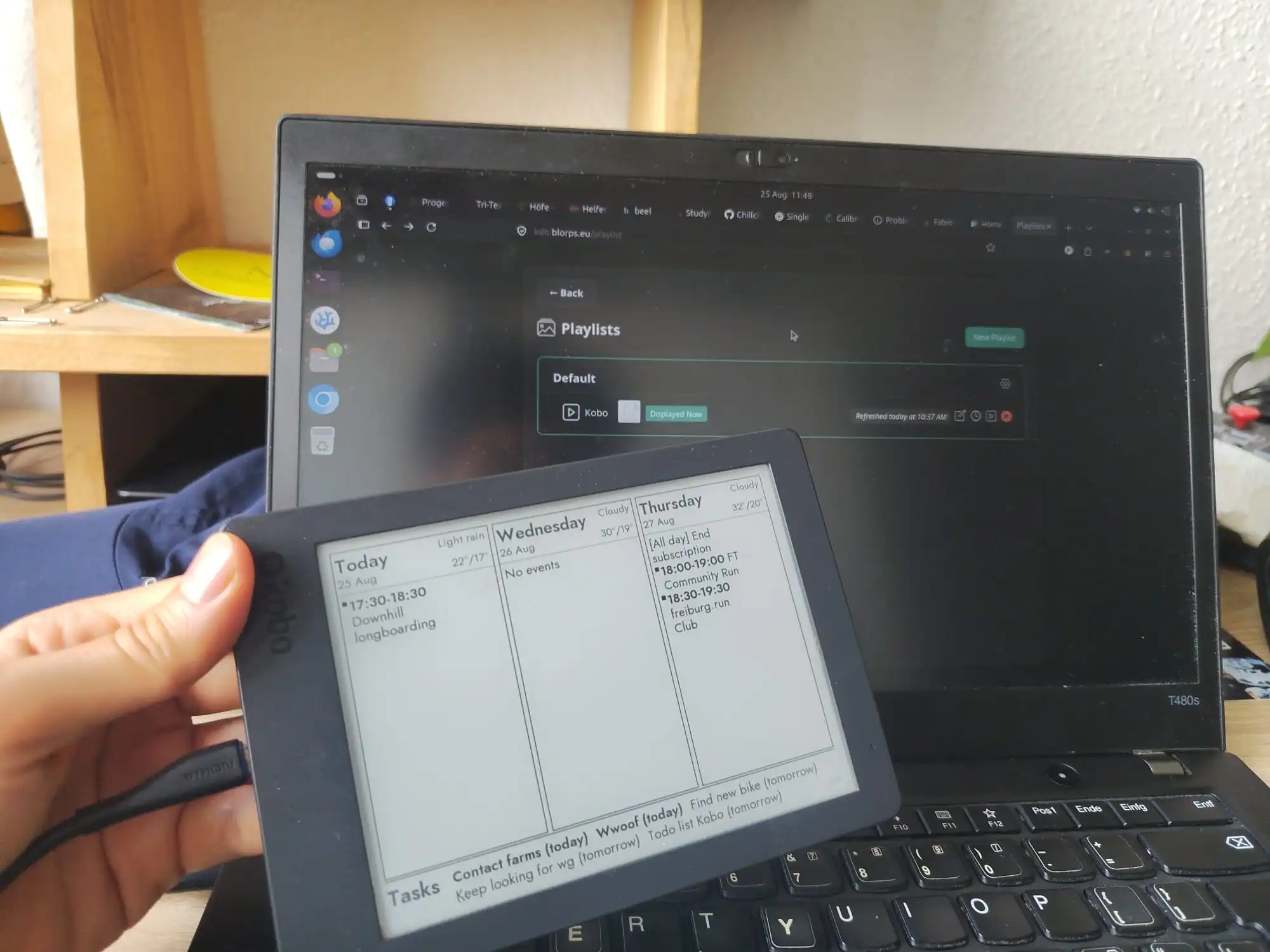 And now, what I am most proud of: I am using my e-reader as a dashboard, showing my calendar, my tasks, and the weather for wherever my tasks are on that day (or a fallback location). How does it work? I am using InkyPy to fetch the data from my online calendar (hosted on Nextcloud), my to-do list (hosted using Vikunja) and the weather. It then builds an image of the dashboard, which is exposed publicly (with a token). I then have a custom script that runs on my Kobo every time it is connected to the internet which fetches the image and stores it in the
 .screensaver folder. When the Kobo goes into sleep mode, it displays the content of that folder. And that's it! I thought it was a bit "hacky" at first, but the more I think about it, the more it just makes sense. And it works surprisingly smoothly.
There are some small details I haven't mentioned, like for instance rendering the dashboard for the next day the day before after 9pm, when I'm likely to read something before going to sleep.
All this wouldn't be possible without my server, which runs most of the infrastructure I use on a daily basis. I might write about that some day!
As a side note, I really enjoy reading blog posts from the "small web". It's nice to read stories from other humans. So please don't be afraid to also do so :)!